













 Nether
The Complete Guide to Minecraft Color Codes & Text Formatting (Java & Bedrock)
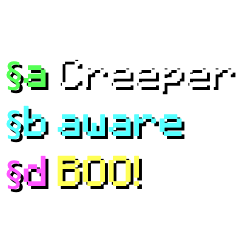
In Minecraft, in-game communication, custom item renaming on anvils, server Message-of-the-Day (MOTD) banners, world signs, and command blocks utilize a specialized formatting syntax prefixed by the section sign (§). While Minecraft Java Edition transitioned its internal chat engine toward structured JSON raw text components, section codes remain universally supported across signs, books, item lores, and server configuration files. Meanwhile, Minecraft Bedrock Edition natively relies on section codes for chat, gamertags, world titles, and scoreboard headers, and even introduces an exclusive palette of mineral and ore color codes.
🎨 16 Standard Minecraft Chat Colors
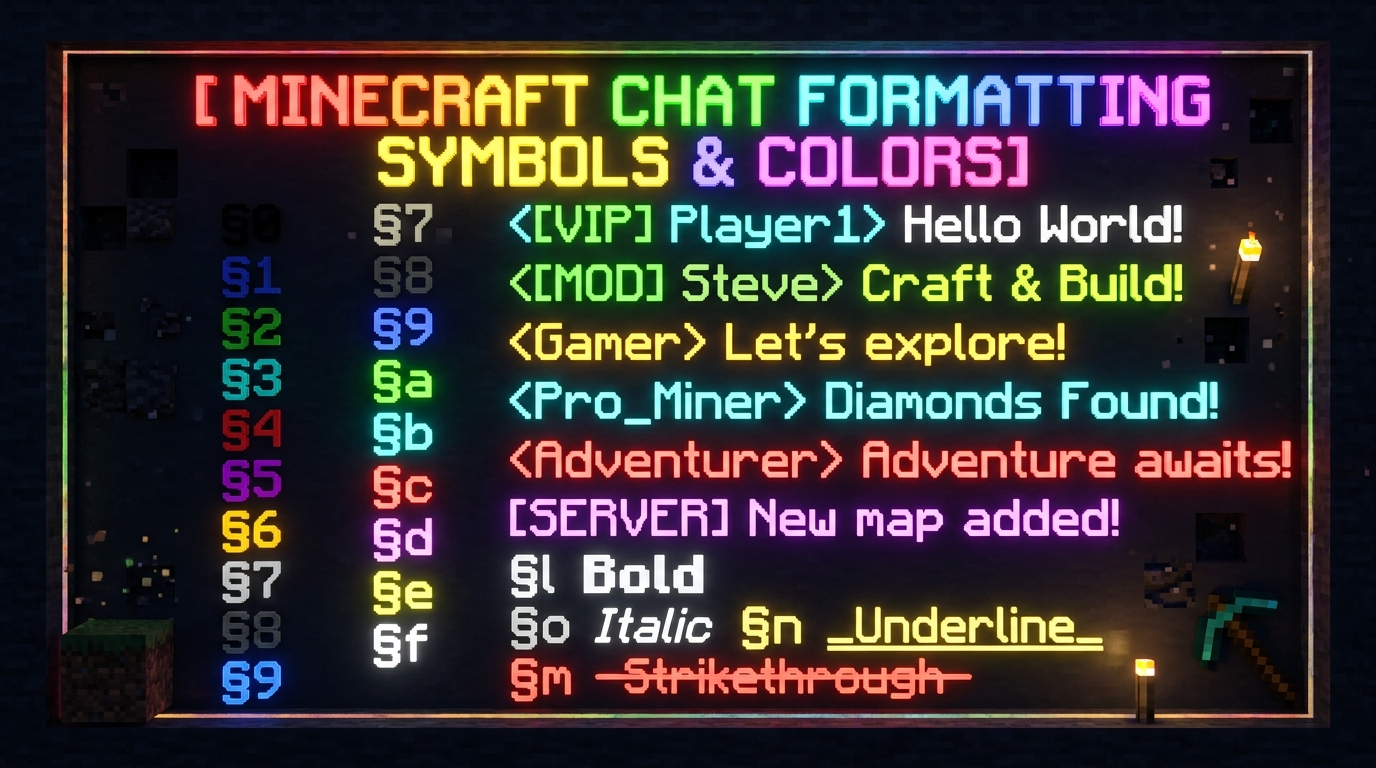
The standard palette was established in Minecraft Classic and represents the foundation of in-game typography. Digits 0 through 9 represent Black (§0), Dark Blue (§1), Dark Green (§2), Dark Aqua (§3), Dark Red (§4), Dark Purple (§5), Gold (§6), Gray (§7), Dark Gray (§8), and Blue (§9). Hexadecimal letters 'a' through 'f' represent Green (§a), Aqua (§b), Red (§c), Light Purple (§d), Yellow (§e), and White (§f).
⛏️ Bedrock Material Color Codes
Bedrock Edition features exclusive material-inspired color codes absent from Java Edition: §g (Minecoin Gold #DDD605), §h (Material Quartz #E3D4D1), §i (Material Iron #CECACA), §j (Material Netherite #443A3B), §m (Material Redstone #971607), §n (Material Copper #B4684D), §p (Material Gold #DEB12D), §q (Material Emerald #47A036), §s (Material Diamond #2CBAA8), §t (Material Lapis #21497B), and §u (Material Amethyst #9A5CC6).
✨ Style & Formatting Modifiers
Styling codes must always be placed after color codes, because applying a color code automatically resets all preceding styles: §k activates Random Obfuscated characters (magic matrix effect), §l toggles Bold weight, §m applies Strikethrough (Java only), §n creates an Underline (Java only), §o produces Italicized slant, and §r Resets all styles and colors back to the default white.
⌨️ How to Type the Section Sign (§) on Windows, Mac, and Mobile
- Windows (Desktop Keyboard): Hold down the Alt key and type 0167 on the numeric keypad (NumPad). Alternatively, hold Alt and type 21 on older keyboard layouts.
- macOS: Press Option + 6 on standard US keyboards, or Option + Shift + 7 on international ISO layouts.
- Android & iOS (Mobile Keyboards): Open the numeric/symbol keyboard, locate the ampersand (
&) or letterskey, press and hold (long press) until a pop-up sub-menu appears, then slide your finger over the§glyph. - In-Game Chat Shortcut: When typing in vanilla Java chat, typing
§directly is blocked to prevent accidental exploits; instead, use this free Kunj Tools Color Code Maker to generate and copy the formatted string directly to your clipboard.
| Code | Color Name | Hex Value | Bedrock Support | Java Support | Common Server Use |
|---|---|---|---|---|---|
§0 / &0 | Black | #000000 | Yes | Yes | Rarely used (unreadable on dark UI) |
§1 / &1 | Dark Blue | #0000AA | Yes | Yes | Water/Ocean rank prefixes |
§2 / &2 | Dark Green | #00AA00 | Yes | Yes | Eco, Economy, Guild labels |
§3 / &3 | Dark Aqua | #00AAAA | Yes | Yes | Server informational alerts |
§4 / &4 | Dark Red | #AA0000 | Yes | Yes | Admin, Owner, Danger warnings |
§5 / &5 | Dark Purple | #AA00AA | Yes | Yes | VIP, Mythic ranks, Nether lore |
§6 / &6 | Gold | #FFAA00 | Yes | Yes | Coins, Server announcements |
§7 / &7 | Gray | #AAAAAA | Yes | Yes | Standard member chat, item stats |
§8 / &8 | Dark Gray | #555555 | Yes | Yes | Borders, timestamps, muted text |
§9 / &9 | Blue | #5555FF | Yes | Yes | Links, Discord mentions, Player tags |
§a / &a | Green | #55FF55 | Yes | Yes | Success confirmations, Online status |
§b / &b | Aqua | #55FFFF | Yes | Yes | Tips, helper ranks, whisper channels |
§c / &c | Red | #FF5555 | Yes | Yes | Error messages, combat warnings |
§d / &d | Light Purple | #FF55FF | Yes | Yes | Donator perks, enchanted item names |
§e / &e | Yellow | #FFFF55 | Yes | Yes | Default system messages, highlights |
§f / &f | White | #FFFFFF | Yes | Yes | Standard chat message body |
§g | Minecoin Gold | #DDD605 | Yes | No (Bedrock Only) | Bedrock marketplace announcements |
§s | Material Diamond | #2CBAA8 | Yes | No (Bedrock Only) | Bedrock realm titles & NPC dialogs |
❓ Frequently Asked Questions (Minecraft Text Formatting)
What is the difference between the § section code and the & ampersand code?
§) is the internal machine character that Minecraft's game client recognizes natively to tint text. However, because § is hard to type and can get corrupted when editing UTF-8 configuration files on older operating systems, server software like Spigot, Paper, Bukkit, BungeeCord, and plugins like EssentialsX use the standard ampersand (&) as an alias. When an admin types &6Welcome, the server converts it into §6Welcome before broadcasting the packet to players.Why do my color codes in server.properties display as strange question marks (ç)?
server.properties is saved in ANSI or Windows-1252 format instead of UTF-8, or because Java properties files historically require Unicode escapes for non-ASCII characters. In modern server software, you should encode the section symbol as Unicode escape \u00A7. For example, write \u00A76My Minecraft Server in the MOTD line of server.properties, which prevents character corruption across any OS reboot.Can I use full 24-bit 16-million RGB hex color codes in Minecraft?
{"text":"Custom","color":"#FF55A2"}) and in modern server plugins that support MiniMessage or BungeeCord hex tags (such as &#FF55A2 or <#FF55A2>). However, legacy signs and Bedrock Edition vanilla chat do not support arbitrary 24-bit hex codes; they are restricted to the 16 core colors plus Bedrock's 11 mineral color codes.How do I color signs and books without mods?
§ codes onto signs and into writable books, and the game client will immediately render the color and style in real time.